
StockVUE Software: Manage Inventory Autonomously
Take the guesswork out of inventory management with StockVUE. Our cloud-based software connects your smart scales to give you real-time visibility into inventory across multiple locations—from your computer, tablet, or smartphone. Monitor stock levels remotely, receive low-stock alerts, and connect inventory data to your business systems through APIs, helping your team reduce manual counting, streamline replenishment, and prevent stock-outs.
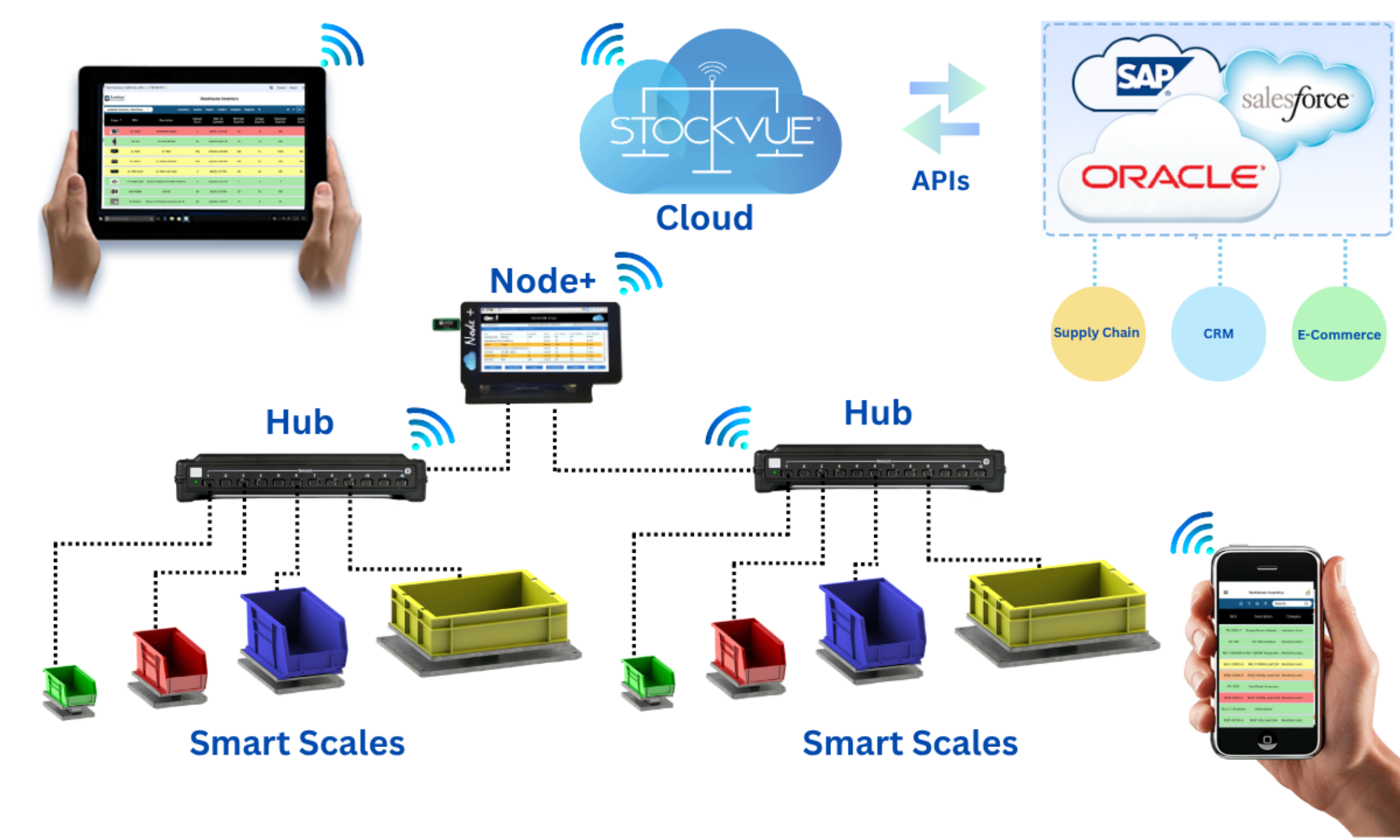
StockVUE connects your Smart Scales to the cloud through the Node+ gateway, bringing inventory data into one easy-to-access platform. Monitor stock remotely, receive low-stock alerts, and simplify replenishment from your computer, tablet, or smartphone. APIs enable integration with your existing business systems, keeping inventory information connected across your operations.
Dashboard — Your Inventory at a Glance
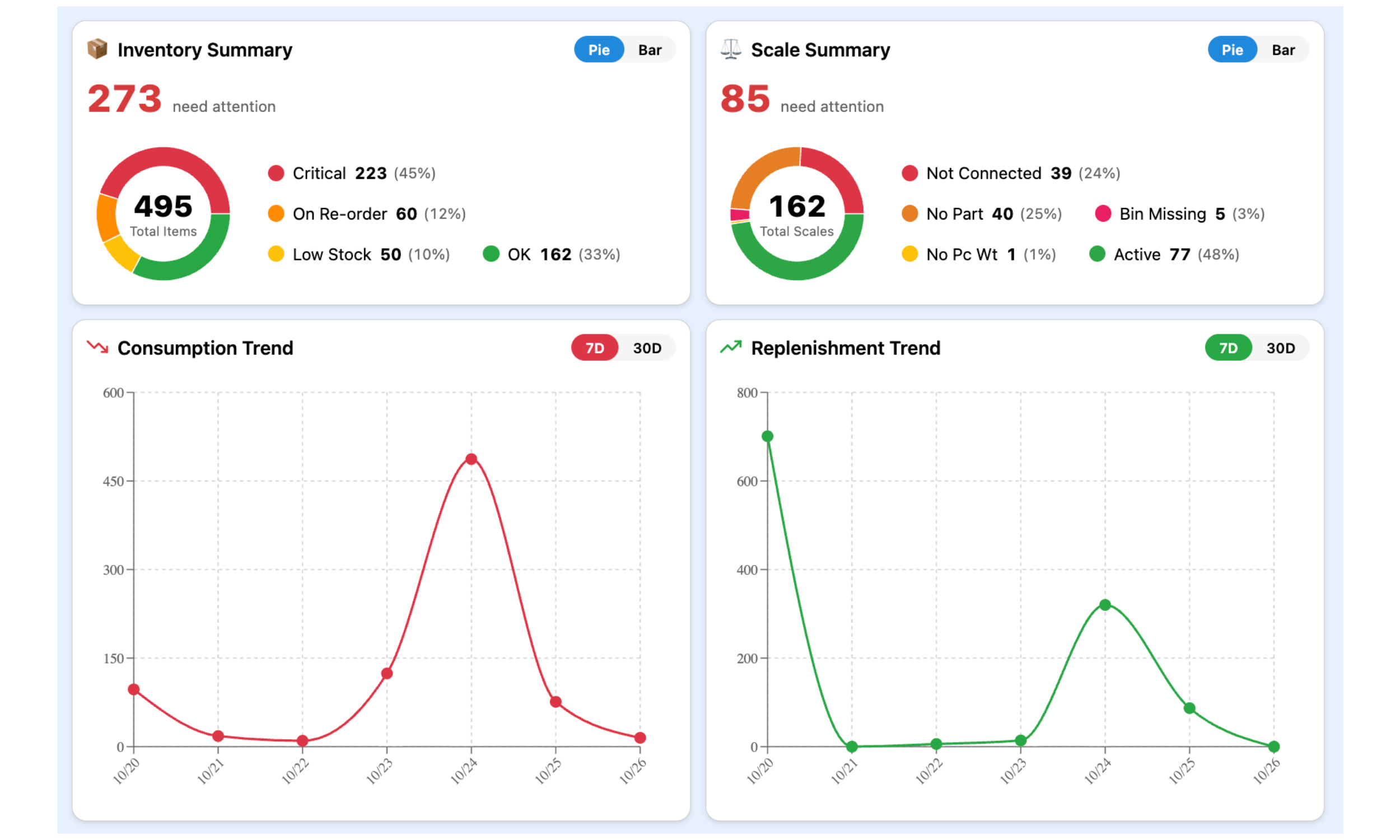
Get a clear overview of your inventory and smart scales from one dashboard. Quickly identify critical stock levels, items due for reorder, and scales that need attention. Track consumption and replenishment trends over 7 or 30 days to help your team prioritize actions, plan restocking, and keep operations running smoothly.
Inventory Counts and Details for Every Item
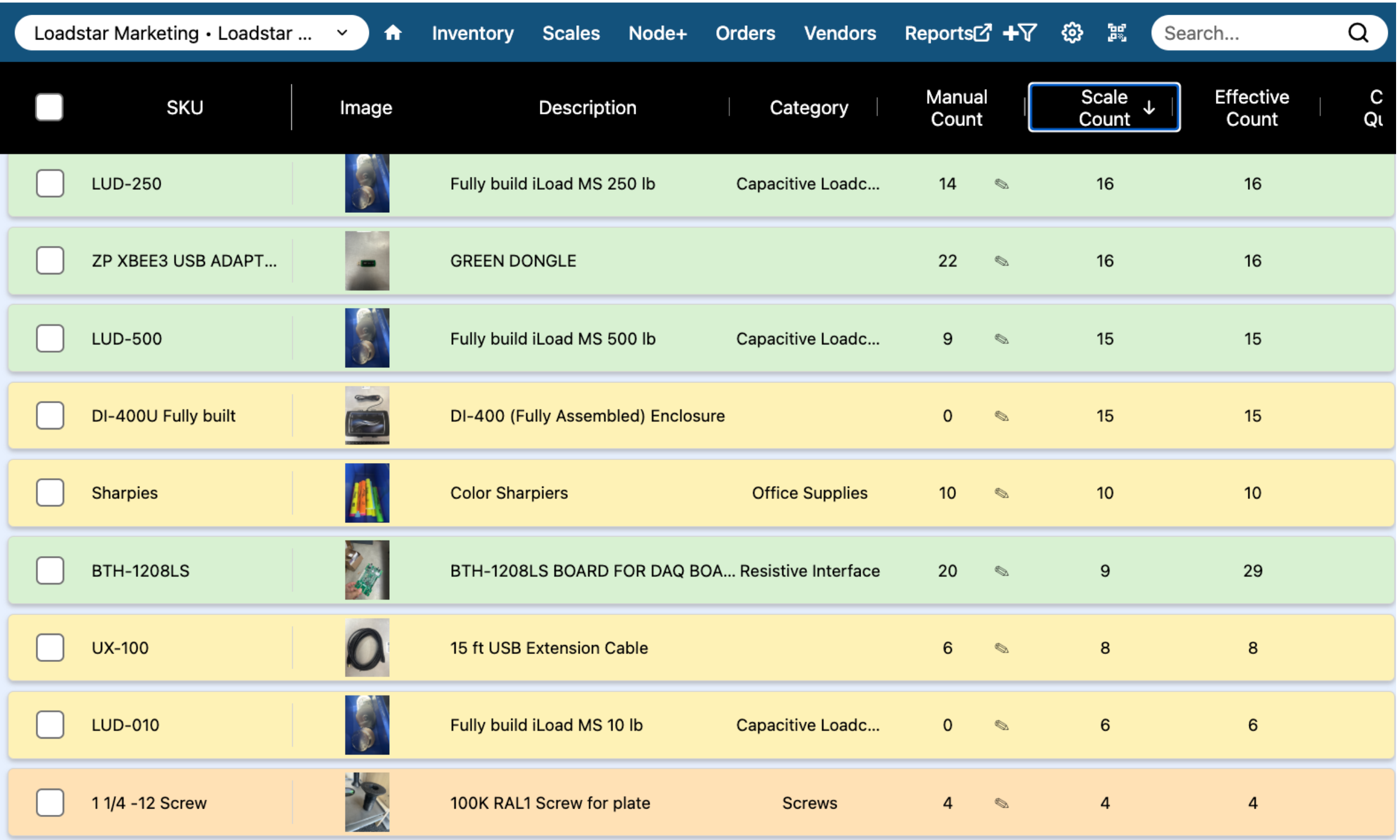
View item details, product images, categories, and inventory counts in one organized screen. Manage smart scale readings alongside manual counts, quickly find items with search and sorting, and use color-coded stock levels to identify what needs attention—helping your team stay organized and replenish on time.
Smart Scales, Manual Counts, or Both
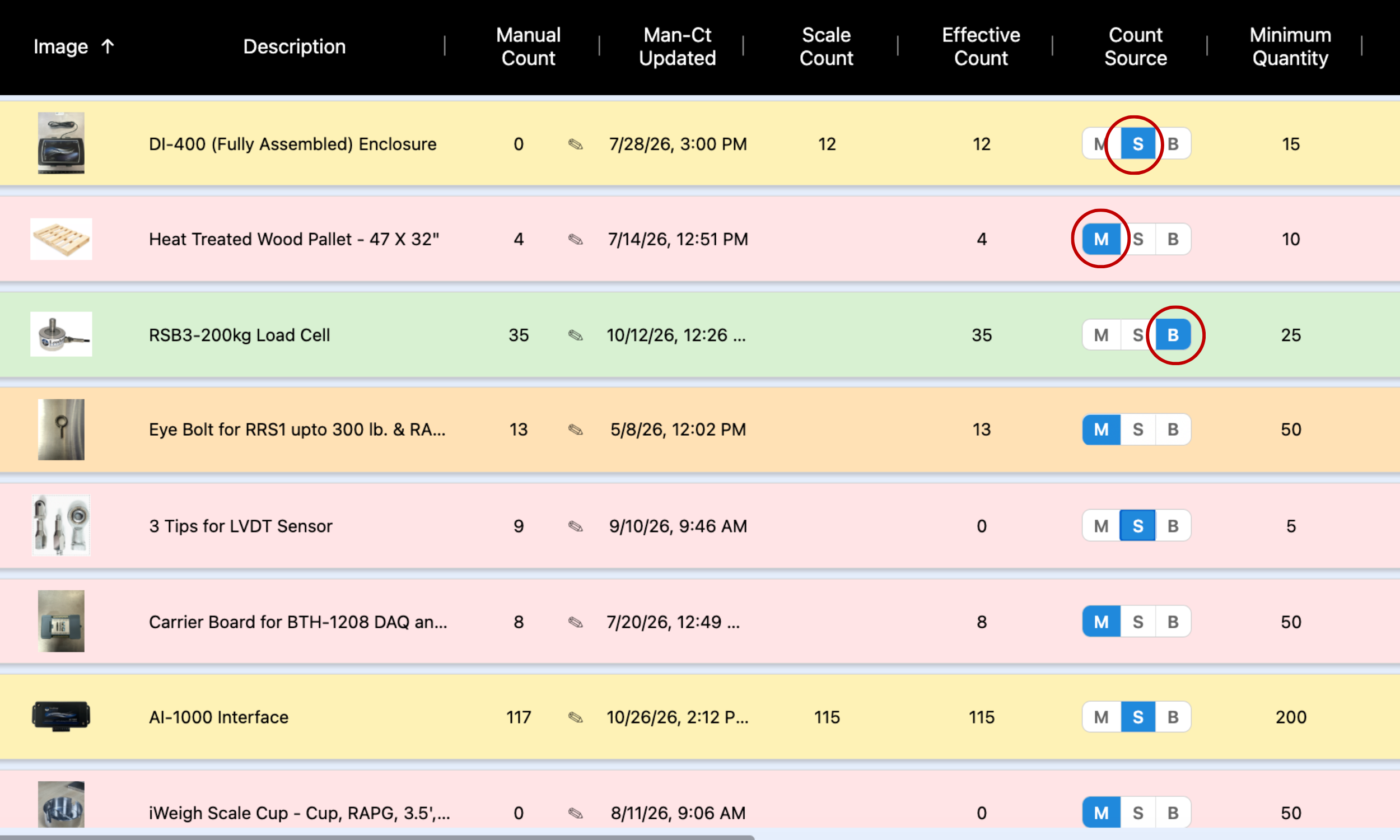
Manage inventory your way by choosing smart scale readings, manual counts, or a combination of both for each item. StockVUE brings these methods together in one view, showing the effective count alongside minimum stock levels—so you can automate where it makes sense and update other items manually.
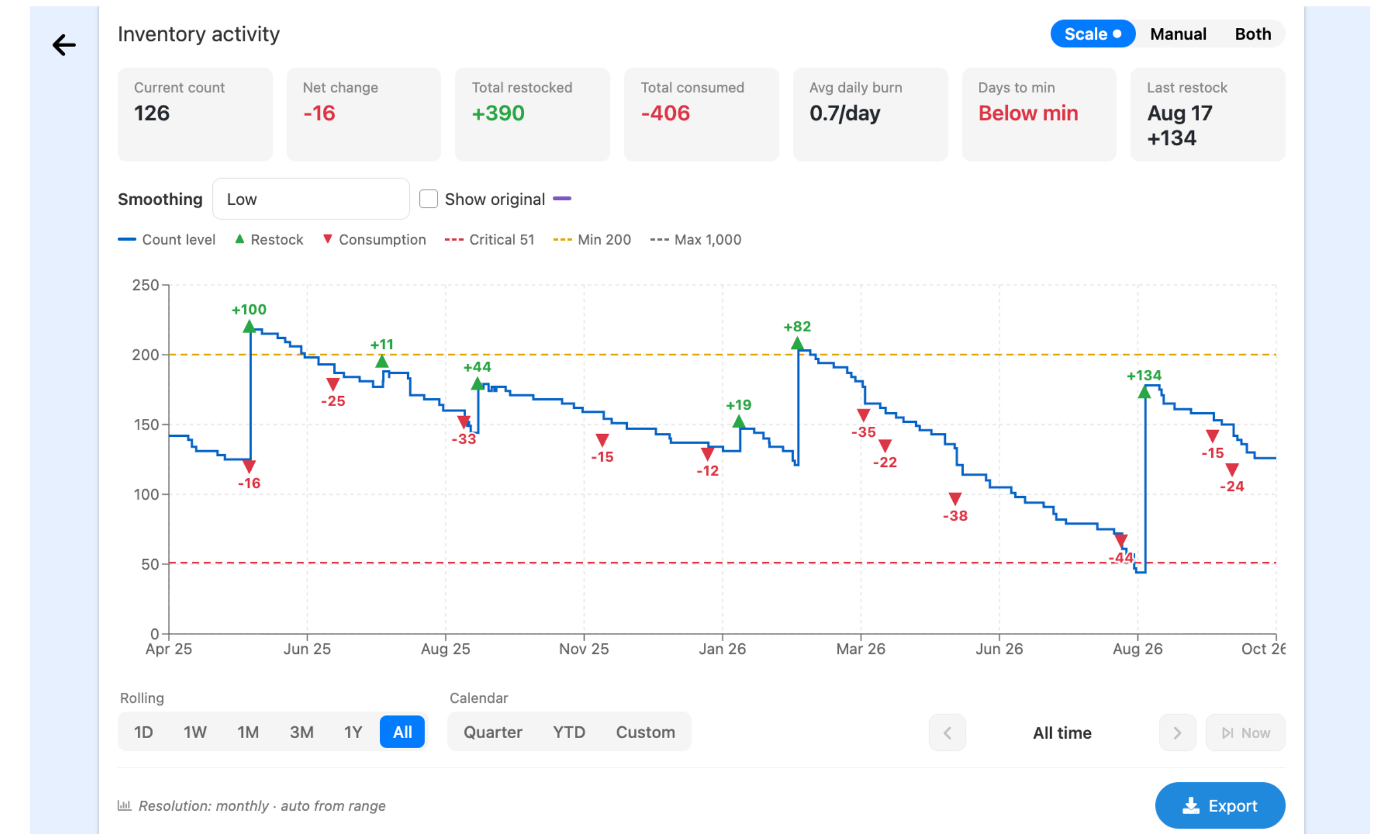
Consumption History - Usage Trends
See how inventory levels change over time, with clear markers for consumption, replenishment, and stock thresholds. Review usage rates, total quantities consumed and restocked, and estimated time to minimum stock levels. Flexible date ranges and export options help your team analyze patterns and plan replenishment with confidence.
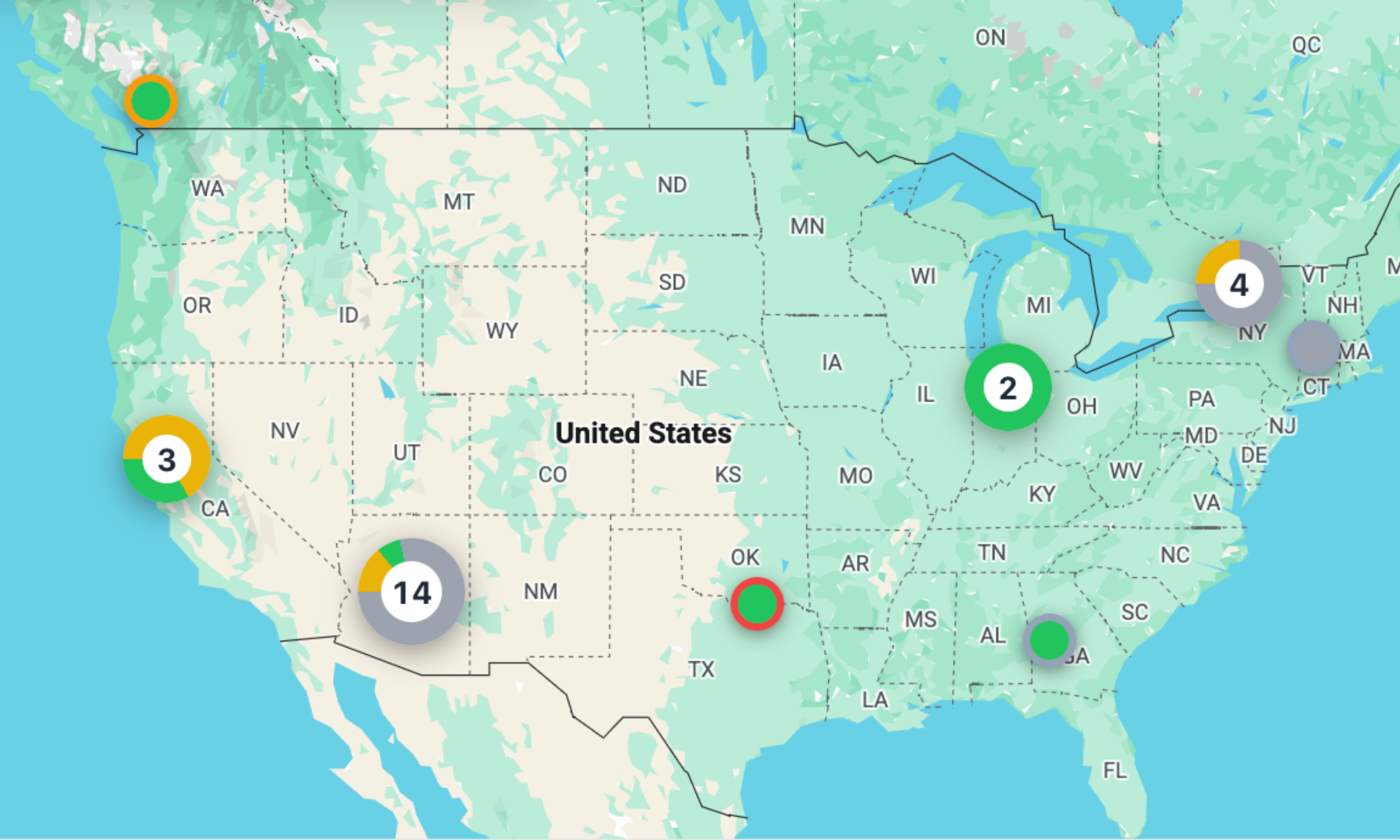
Sites Map - Your Inventory Network at a Glance
Get a geographic overview of your sites with color-coded markers that highlight status across locations. Quickly spot sites that need attention and see how your inventory network is distributed—helping your team prioritize follow-ups and coordinate replenishment across customer locations and facilities.
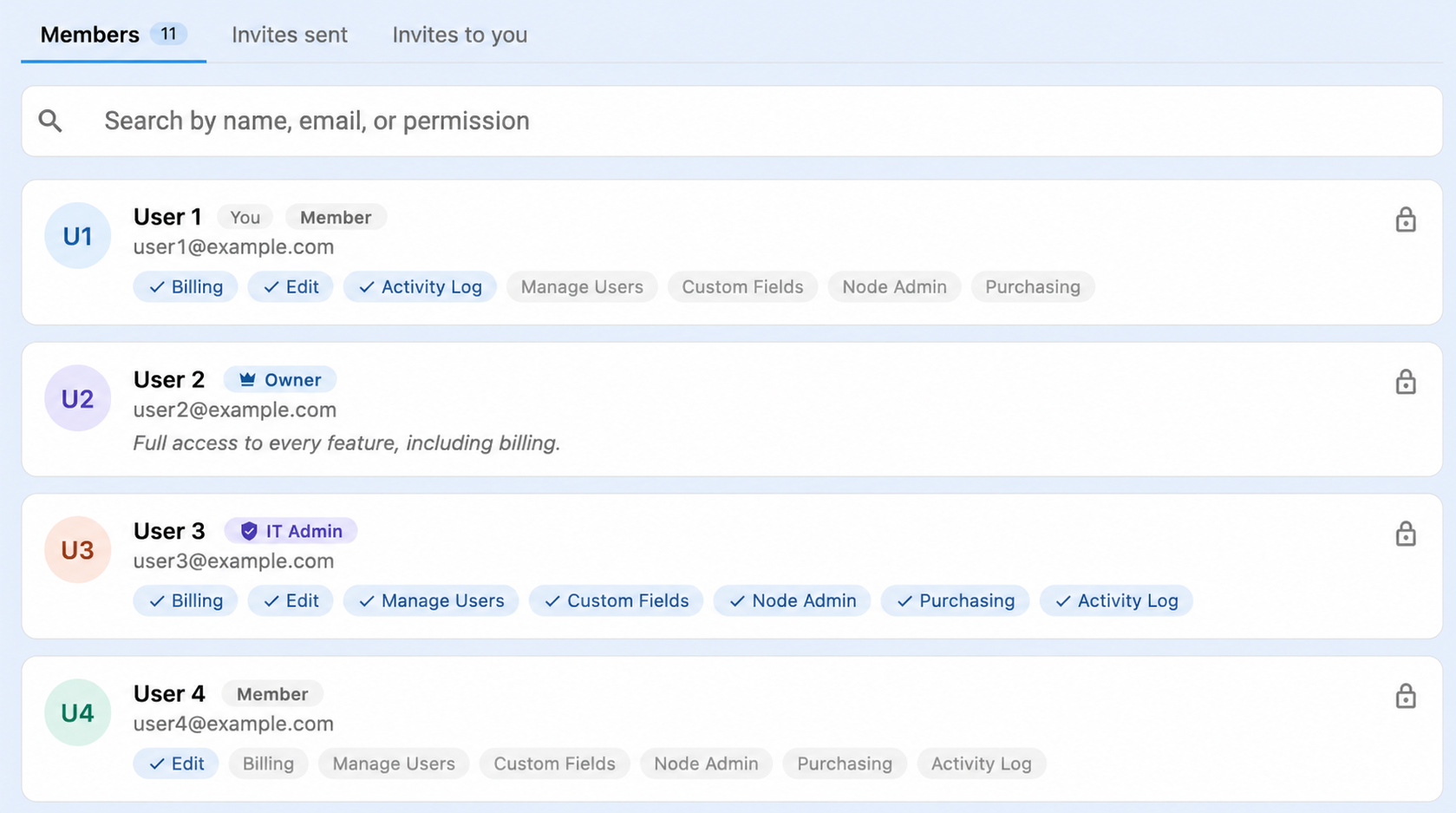
User Management - Right Access for Every User
Manage team members and control access with user roles and permissions. Assign access to billing, inventory editing, purchasing, user management, and more—giving each person the tools they need while keeping sensitive functions restricted to authorized users.
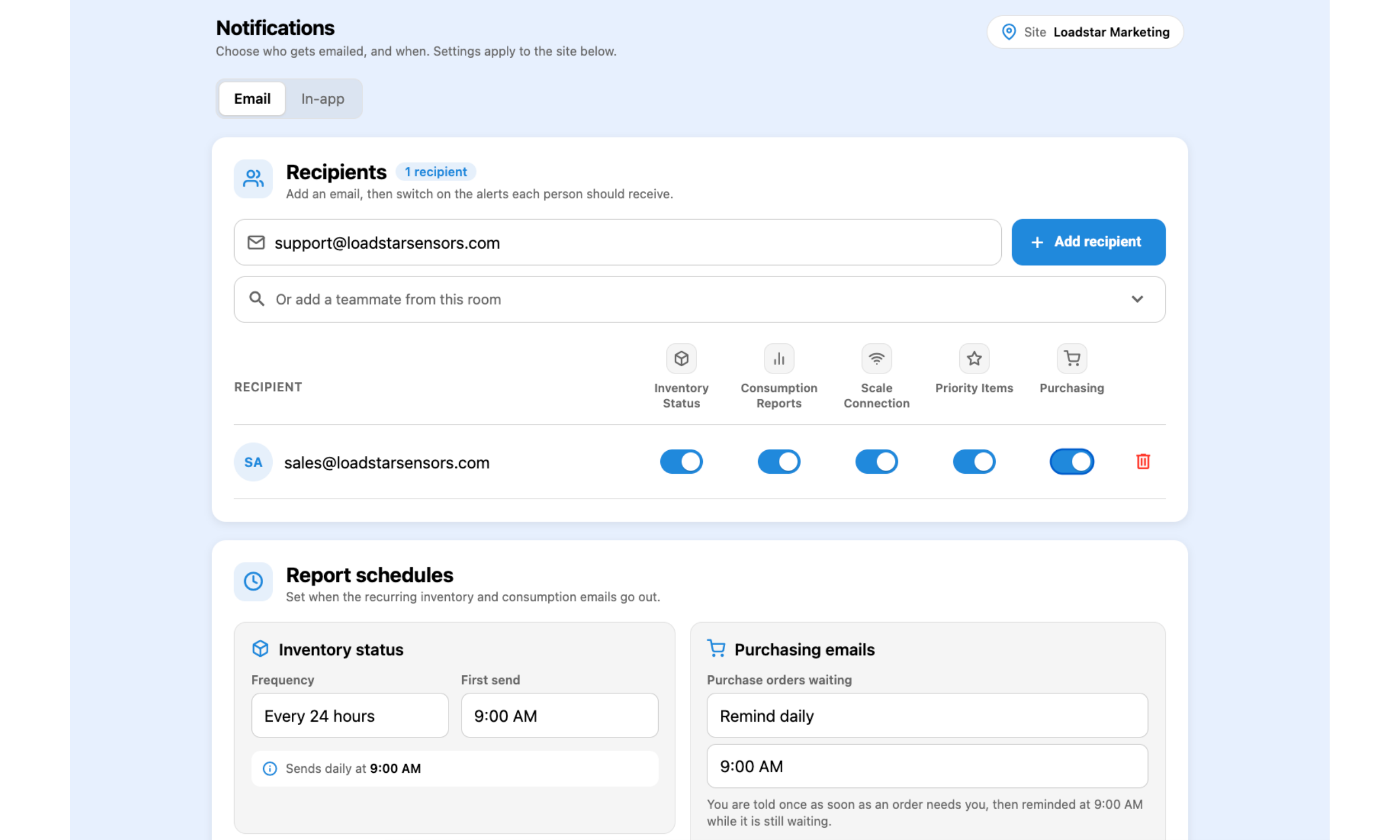
Alerts & Reports — Keep the Right People Informed
Keep your team updated with customizable notifications and scheduled reports. Choose who receives inventory status updates, consumption reports, scale connection alerts, priority item notifications, and purchasing reminders. Set reporting schedules to help your team stay informed and act promptly when attention is needed.
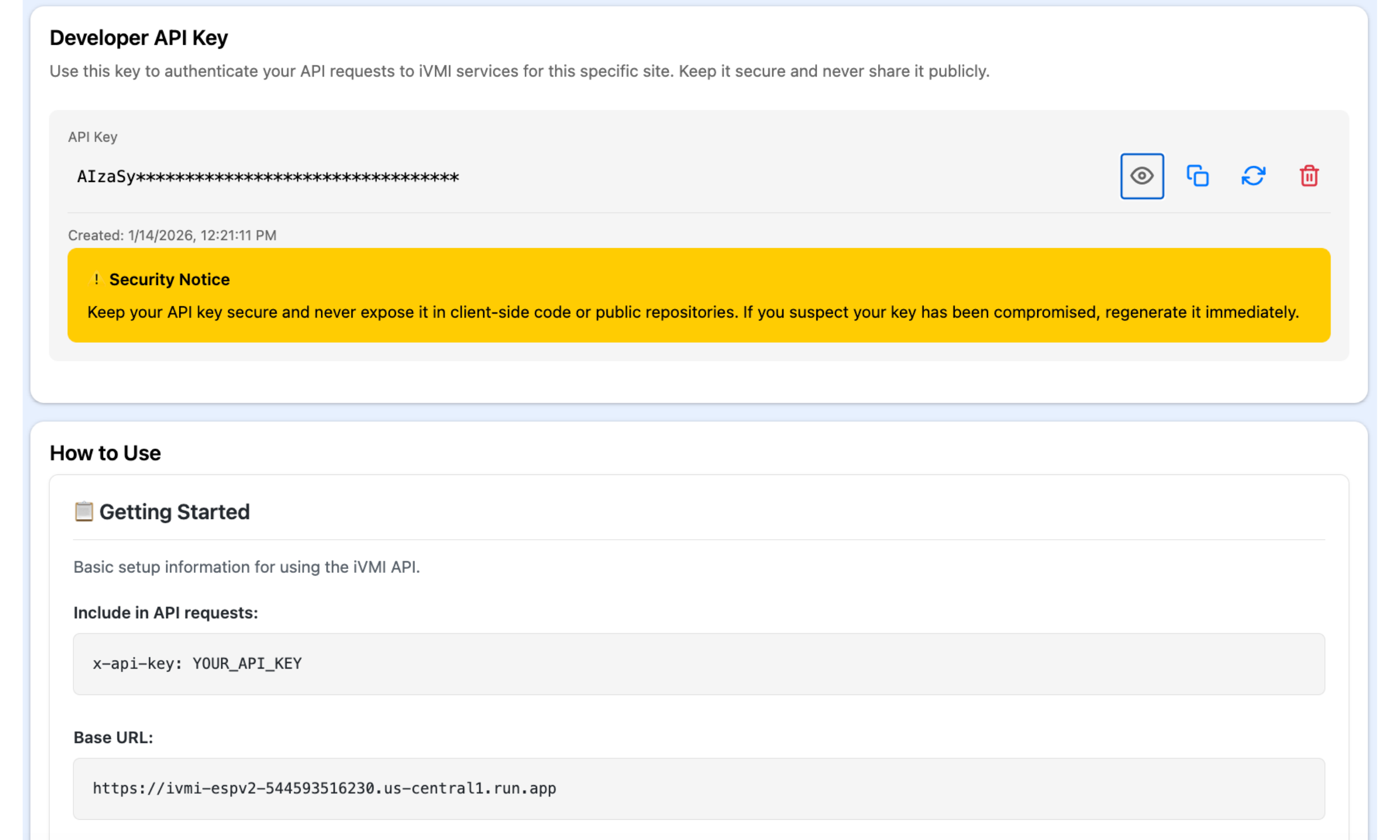
API Integration — Connect Inventory to Your Business Systems
Connect StockVUE inventory data to your ERP, CRM, and other business applications through APIs. Site-specific API keys and setup guidance help your developers build integrations that reduce manual data entry and support connected workflows. Manage, regenerate, or revoke keys directly from the platform to control access.
